 Русский
 English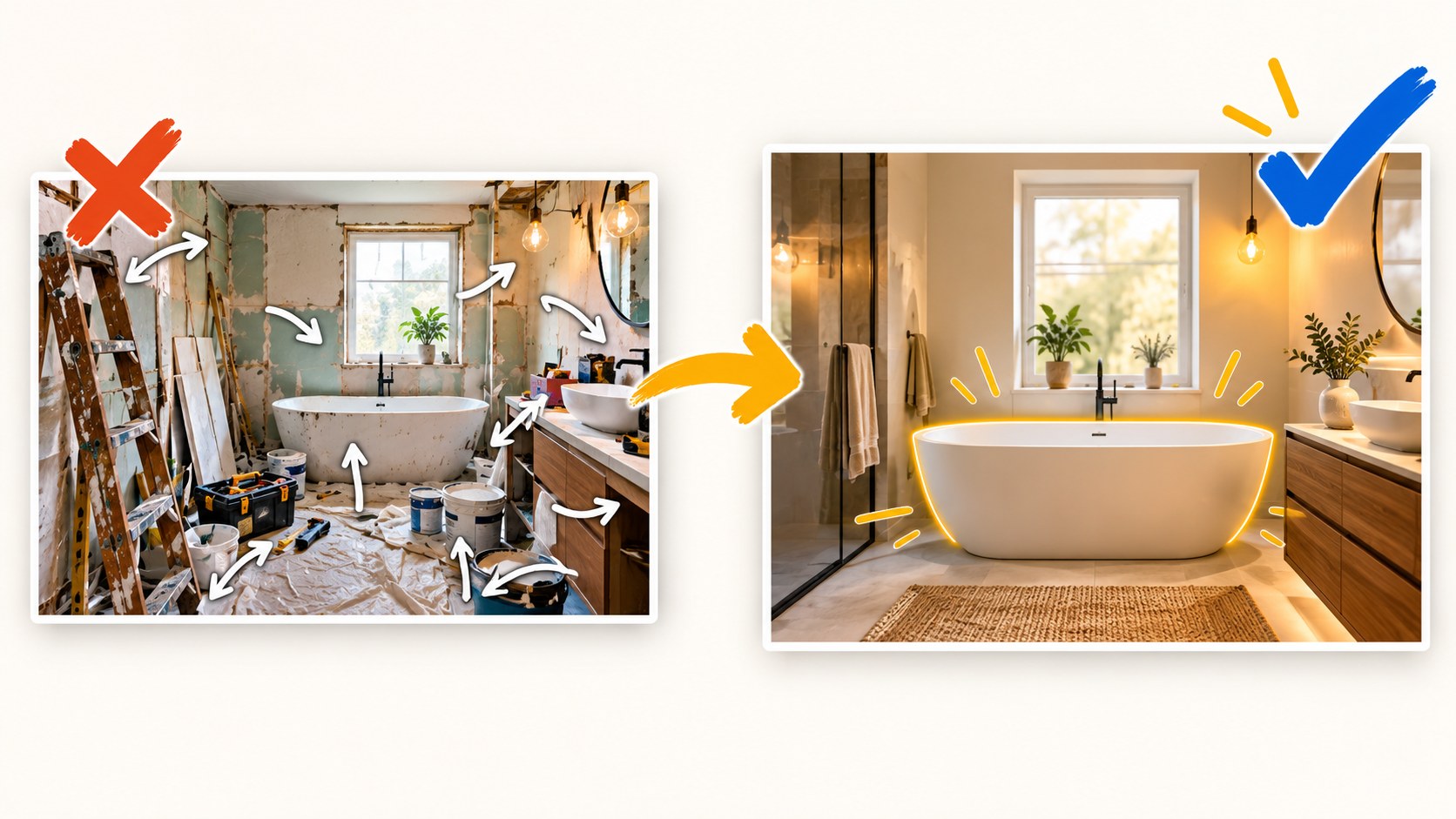
A good YouTube thumbnail makes a specific video easy to recognize, understand and distinguish from its neighbors. It needs one clear idea, an honest connection to the video and a composition that remains readable when it is small. These six principles apply to recipes, reviews, gaming, lessons and podcasts; the subject changes, but the design questions stay useful.
Design for the place the image will be seen
You may create a thumbnail on a large monitor, yet viewers see it in very different conditions. Keep five constraints in mind before polishing the details.
- Size: a recommendation tile can be much smaller than your editing canvas.
- Competition: nearby videos often use similar subjects, colors and compositions.
- Attention: viewers browse; they do not inspect every design as a poster.
- Interface: the title, channel information, duration label and hover controls add surrounding or overlapping information.
- Devices: phones, computers and televisions change both the image’s size and the distance from which it is viewed.
Those conditions explain why a detailed image can be attractive in an editor and ineffective in a feed. YouTube’s own thumbnail advice recommends readable type, avoiding excessive complexity and checking how designs appear across devices.
1. Give the thumbnail one main idea
Imagine recommending the video to a friend in one short message. “The finished bathroom looks more expensive than it was.” “This squat mistake is easy to miss.” “The guest challenges a familiar assumption.” That sentence is a useful starting point because it describes a reason to watch rather than a list of everything in the video.
Find the visual that carries that reason: a face, a product, an outcome, a comparison or a precise moment. Give it the largest share of attention. Other objects should explain the idea or leave the frame. A thumbnail does not have to summarize an entire episode; the title, description and chapters provide additional context.
Long videos make this choice harder. A two-hour stream, a podcast or a ten-product roundup contains many possible hooks. Choose a concrete, representative highlight rather than shrinking every topic into an icon. One surprising gadget can stand for the roundup if the title makes the broader scope clear. A decisive gameplay moment can represent the stream without pretending it is the only event.
The test is not whether the image contains exactly one object. A comparison needs two sides. The question is whether those objects communicate one coherent proposition.
2. Show something the video actually delivers
The thumbnail creates an expectation. A giant catch on a fishing thumbnail promises something different from a quiet day with no fish landed. Strong lighting, a tighter crop or a clearer expression can emphasize the real story; inventing the result changes it.
Use the central object, outcome or reaction from the video, and locate the moment that supports your chosen image. If a detail exists only in the thumbnail, decide whether it is clearly illustrative or could be mistaken for an event or result. Curiosity without clickbait explores that distinction in more detail.
Bloggers.tools uses the complete subtitle text as context for an image. That helps connect the concept to the topic, but subtitles do not establish every visible detail. You still need to confirm that the generated person, object and implied event match the video. The same responsibility applies when a designer creates the image.

3. Make the order of attention clear
Design hierarchy means deciding what should be noticed first, second and last. In a typical thumbnail, the subject comes first, a short caption follows and the background supports both. The order can change, but it should be deliberate.
| Design tool | How to use it | Example |
|---|---|---|
| Scale | Give the main subject more space | The pie fills a substantial part of the frame instead of a corner of the table |
| Brightness | Separate the subject from its surroundings | A lit face against a darker room |
| Focus | Reduce competing background detail | Sharp food against a softly blurred kitchen |
| Accent color | Reserve one strong color for a useful detail | A bright price label among muted objects |
| Empty space | Let an important element breathe | A short caption against a clear patch of sky |
| Gaze | Use a person’s direction of attention to support the subject | The creator looks toward the phone being reviewed |
Several equally strong elements can cancel that hierarchy: two large faces, a bold caption and a bright product may all demand attention at once. Make a decision. Reduce a face, quiet the background, shorten the copy or remove the least useful object.
4. Check contrast inside the image and around it
Inside the thumbnail, the subject and copy need enough difference from their background. Brightness contrast is a reliable starting point: a light object on a dark surface, or dark lettering on a pale panel. Two saturated colors can look distinct at full size yet merge when reduced or viewed on a dim display.
Try a grayscale check. If the lettering and subject disappear, adjust their brightness relationship instead of adding another bright hue. A subtle edge light, controlled outline, softened background or plain text panel can help. Each is a tool, not a requirement for every image.
Outside the thumbnail, look at the actual neighborhood. Search for the video’s topic and note repeated palettes and arrangements. Another red-and-yellow image may blend into an already red-and-yellow result page. A quieter treatment can stand out if it still communicates the topic.
Also place the image on light and dark backgrounds. An edge that vanishes into one interface theme can make the composition feel weaker. The guide to thumbnail color and contrast covers these checks in more depth.
5. Keep the essential information readable when small
As an image shrinks, fine texture, small faces and thin letters disappear before large shapes do. Make the subject identifiable without requiring viewers to enlarge it. If facial expression carries the idea, the face must be large enough for that expression to survive.
- Shorten the caption before reducing its font size.
- Use a font with clear letter shapes and sufficient weight.
- Avoid placing essential information in the lower-right duration-label area.
- Remove background details that add complexity without meaning.
- Keep a logo only if it helps recognition without competing with the subject.
There is no universal word count or safe-zone measurement that guarantees readability. Actual wording, typeface, language and layout matter. A long word can be harder to fit than several short ones. See how much text belongs on a thumbnail and the phone, desktop and TV readability guide.
6. Build recognition without making every episode identical
A consistent typeface, lighting style or caption treatment can help returning viewers identify your channel. Those elements work as a visual signature. The scene still needs to communicate what is new about this specific upload.
Put the last ten thumbnails in a row. Can you tell the episodes apart without reading every title? If each uses the same portrait, background and generic expression, a regular viewer may mistake a new upload for an old one. Keep one or two recognizable elements and change the subject, event or outcome that belongs to the individual video.
How the principles translate across niches
| Niche | Useful focal subject | Common distraction |
|---|---|---|
| Cooking | Finished food or a revealing texture | A whole kitchen with a tiny dish |
| DIY and renovation | Outcome or before-and-after comparison | Many small interior details with no focal point |
| Technology reviews | Recognizable product and a clear verdict or question | Boxes, logos and tiny specifications |
| Gaming | A character, decisive moment or visible stakes | A busy screenshot dominated by interface elements |
| Education | A result the learner wants | A dense presentation slide |
| Interviews | The guest and one specific talking point | Two distant figures in a generic studio |
| Finance | One relevant figure or comparison | A complete chart with unreadable labels |
| Travel | A particular place or situation | A collage of several unrelated landscapes |
These are starting hypotheses, not measured rules about every audience. For example, a bathroom-renovation image might become clearer when a wide shot and long caption are replaced with a closer view of the result and a concise cost detail. Whether that treatment attracts your viewers needs testing.
A five-point review before upload
- Reduce the image to a realistic feed size and identify its main subject.
- Show it briefly to someone unfamiliar with the video and ask what they expect to watch.
- Place it among relevant search results and check whether it remains distinct.
- Read it with the title: do they add information to each other?
- Inspect the edges and duration-label area for hidden details.
Passing this review establishes clarity, not guaranteed performance. Use actual audience behavior to assess the hypothesis after publication.
Apply the principles in Bloggers.tools
In the thumbnail generator, Auto mode develops the idea, composition and caption. Professional mode offers three concept directions before image generation. You can provide your own photos, a guest portrait, an object reference and custom text. Whichever route you choose, put the finished image through the same review.
Frequently asked questions
Can I make a good thumbnail without a designer?
Yes. Choosing the main idea, eliminating distractions and checking readability are editorial decisions. A simple editor or AI tool can help execute them; a designer can improve the craft but cannot replace a clear brief.
Does the thumbnail need my channel logo?
Only if it contributes useful recognition. Channel information already appears in many YouTube layouts. A large logo can take space away from the video’s subject.
How many elements can I include?
There is no fixed limit. If you cannot identify the primary and secondary elements, reduce the competition between them. Ask what the viewer loses if each detail is removed.
Should every thumbnail use the same style?
Consistent visual cues help, but identical scenes do not distinguish episodes. Preserve a recognizable signature while changing the content-specific image.
Can I use a frame from the video?
Yes, when it is sharp, well lit and meaningful. Dedicated photos taken during filming often provide better expressions and framing than a random paused frame.