 Русский
 English
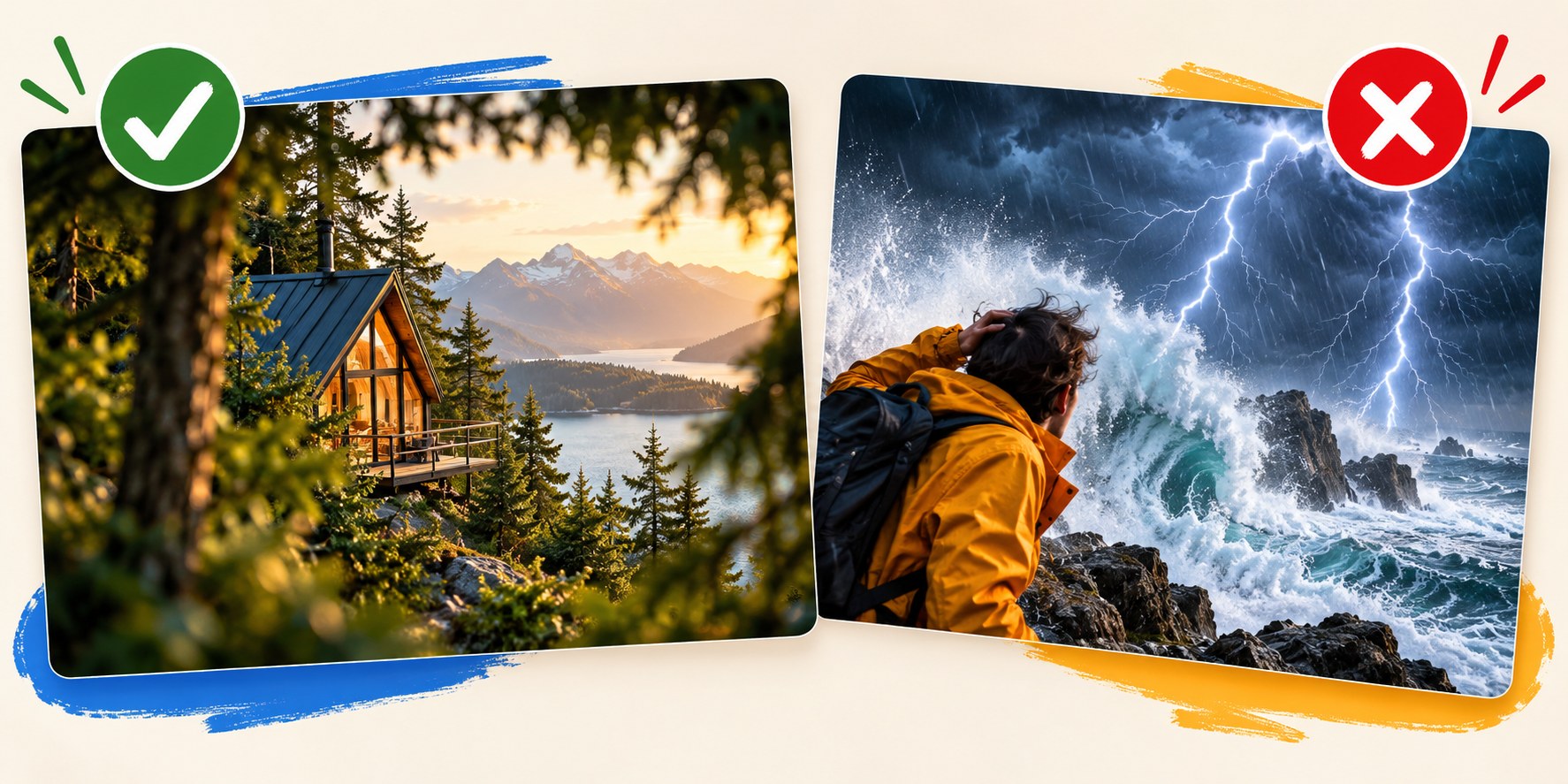
A YouTube thumbnail can leave a question unanswered without hiding what the video is about. The useful distinction is between an information gap the video closes and a promise it never fulfils. A repair thumbnail can conceal the cause of a fault; it should not invent a fire that never happened. This guide explains how to create that honest gap, check your promise and connect the thumbnail to the opening of the video.
The difference is what happens after the click
Imagine a travel video with a modest but surprisingly comfortable room and the words “A $20 ROOM?” The viewer wants to know where it is, what the price includes and whether there is a catch. If the video answers those questions using the actual stay, the curiosity is justified. If the price excludes unavoidable charges or refers to an old offer presented as current, the same design misleads. All prices and examples in this article are hypothetical.
- Delivery: can the viewer actually find the promised answer, scene or result?
- Scale: does the thumbnail match the significance of the event? A delayed train is not a near-death experience.
- Timing: does the opening establish that the viewer is in the right place, even when the final outcome belongs at the end?
A slow reveal can be honest. A documentary does not need to give away its conclusion in the first ten seconds. It should establish the question and give the viewer a reason to trust that the story will answer it.
What YouTube requires
YouTube's thumbnail policy prohibits an image that leads viewers to expect something absent from the video. Its performance guidance also recommends titles and thumbnails that accurately represent the content. Depending on the violation, a thumbnail can be removed and the channel can receive a warning or strike; the exact consequence is not identical in every case.
There is a performance reason to keep the promise, too. In YouTube's native A/B testing, the outcome depends on watch time rather than click-through rate alone. A dramatic image can attract more clicks but less viewing. That does not guarantee that a restrained design wins every experiment: relevance, clarity and the audience still matter.
Seven ways to create an honest question
Start with a detail you can prove from the video. These examples are creative directions, not claims about real results.
| Approach | Thumbnail idea | What the video must deliver |
|---|---|---|
| A surprising concrete detail | A simple hotel room: “$20?” | The room, the price paid and relevant conditions |
| A process with an uncertain outcome | Day one of a project: “30 DAYS TO GO” | The actual attempt and its outcome, including failure |
| A challenge to conventional advice | A phone beside a camera: “ENOUGH?” | A relevant comparison, not a claim without evidence |
| A personal commitment | An empty garage: “SOLD IT” | The sale and what the creator chose to do instead |
| A meaningful choice | Two cars: “EV OR PETROL?” | A comparison with assumptions and a useful conclusion |
| Access to an unfamiliar place | A view inside a workshop | Footage and an explanation of that workshop |
| An error with consequences | A marked-up estimate: “MY COSTLY MISTAKE” | The mistake, its consequence and what was learned |
The common feature is specificity. “THIS CHANGES EVERYTHING” beside a generic face offers less useful information than a cracked component and “ONE LOOSE BOLT.” The second creates a question the viewer can name.

Where curiosity becomes deception
The same subject can support either approach. The test is not whether a thumbnail looks dramatic; it is whether the drama belongs to this video.
| Video | Honest intrigue | Misleading version |
|---|---|---|
| A phone review | “THE MISSED DETAIL” beside a feature examined in the review | A phone in flames when no fire happened |
| A rainy trip | “WORTH THE WEATHER?” beside the actual destination | “WE ALMOST DIED” for an uneventful shower |
| A fitness diary | A real, consistently photographed comparison | Someone else's transformation presented as the creator's |
| A policy explainer | “WHAT COULD CHANGE?” for a proposal | “BANNED” when the proposal has not become a rule |
| A gaming challenge | “NO DAMAGE?” for an attempt shown in the video | A fabricated secret level presented as real gameplay |
A question mark does not automatically make a false implication fair. “DID THIS EXPLODE?” over an invented explosion can create the same expectation as a direct claim. Judge the whole package as a viewer would, including the image and title.
Rewrite a clickbait idea instead of abandoning the subject
Suppose a creator documents three months of budgeting. The first concept shows stacks of cash and “RICH IN 90 DAYS.” The actual story is more interesting and more modest: the creator finally built a small emergency fund after spotting one recurring expense.
- List the verifiable facts. How much was saved, over what period, and which change mattered?
- Remove invented evidence. Cash piles, luxury purchases and exaggerated reactions add promises the story cannot support.
- Find the unresolved detail. The viewer may want to know which expense was removed or why earlier attempts failed.
- Rebuild the pair. Show a budget notebook with one line crossed out and “I CUT THIS.” Use a title such as “The recurring expense that stopped me saving.”
- Check the opening. Establish the budgeting experiment immediately, then develop the answer through the video.
The rewrite creates a specific question without pretending that ordinary progress is sudden wealth. It also gives the thumbnail and title different jobs.
Be especially precise with news and sensitive claims
A forecast and a completed event are different stories. Keep qualifications that change the meaning: “proposed,” “could,” “tested” and “in this case” may be essential. Do not attach an invented quotation to a public figure or promote an incidental mention into the main promise of the video. Where the facts changed after recording, revise the packaging as well as the description.
A four-question promise check
Before publishing, write down what a reasonable viewer would expect from the thumbnail and title together. Then answer:
- Where does the video fulfil that expectation? Note a timestamp or a clearly identifiable section.
- Does the scale match? A useful saving should not be presented as financial freedom.
- Are the image's people, objects and events connected honestly to the story? An illustration may be appropriate, but should not pose as documentary evidence of an event that never happened.
- Does the title add information? It can explain the topic while the image raises a narrower question, rather than repeating the entire message.
Not every video needs a mystery
Someone searching for a replacement washing-machine filter often wants proof that you are showing the right part. A close-up and a clear model identifier may do more than a mysterious silhouette. Tutorials, troubleshooting and reference videos benefit from directness. Experiments, stories and opinion videos have more room for an unresolved question.
In either case, connect the packaging to the opening. Show the relevant object or state the challenge before a long introduction. For a story whose payoff belongs at the end, offer credible evidence that the promised journey is underway.
Use AI as a draft, then check the promise yourself
Bloggers.tools thumbnail generation uses the video's subtitles to inform the design. In Professional mode, three concepts help you choose an angle before generating the finished image. Check each concept against the actual footage: transcript-based generation can still invent a visual detail, misread context or overstate a result. One selected concept produces one image; additional variants require additional generations.
You can also prepare complementary titles through video SEO tools. Review the title and thumbnail together, download the files and upload them yourself. A content-aware workflow helps preparation; it does not replace editorial judgment.
Frequently asked questions
Viewers say the thumbnail misled them. What should I check?
Compare their expectation with the actual payoff. The problem may be a false implication, an exaggerated result or a long opening that hides the relevant material. Correct the specific mismatch; do not assume every complaint requires removing all curiosity.
Can I put a question on a thumbnail?
Yes, if viewers can identify the subject and the video genuinely addresses the question. “EV OR PETROL?” communicates a choice. “WHAT NOW?” needs a much more informative image to make sense.
Is a shocked face automatically clickbait?
No. An expressive reaction can fit the story. It becomes misleading when it suggests a crisis, discovery or emotional tone that the video does not support.
Must I reveal the answer at the start?
No. Establish the premise and show that the video is delivering on it. A repair, investigation or experiment can build towards a final result without making the viewer wait through an unrelated introduction.