


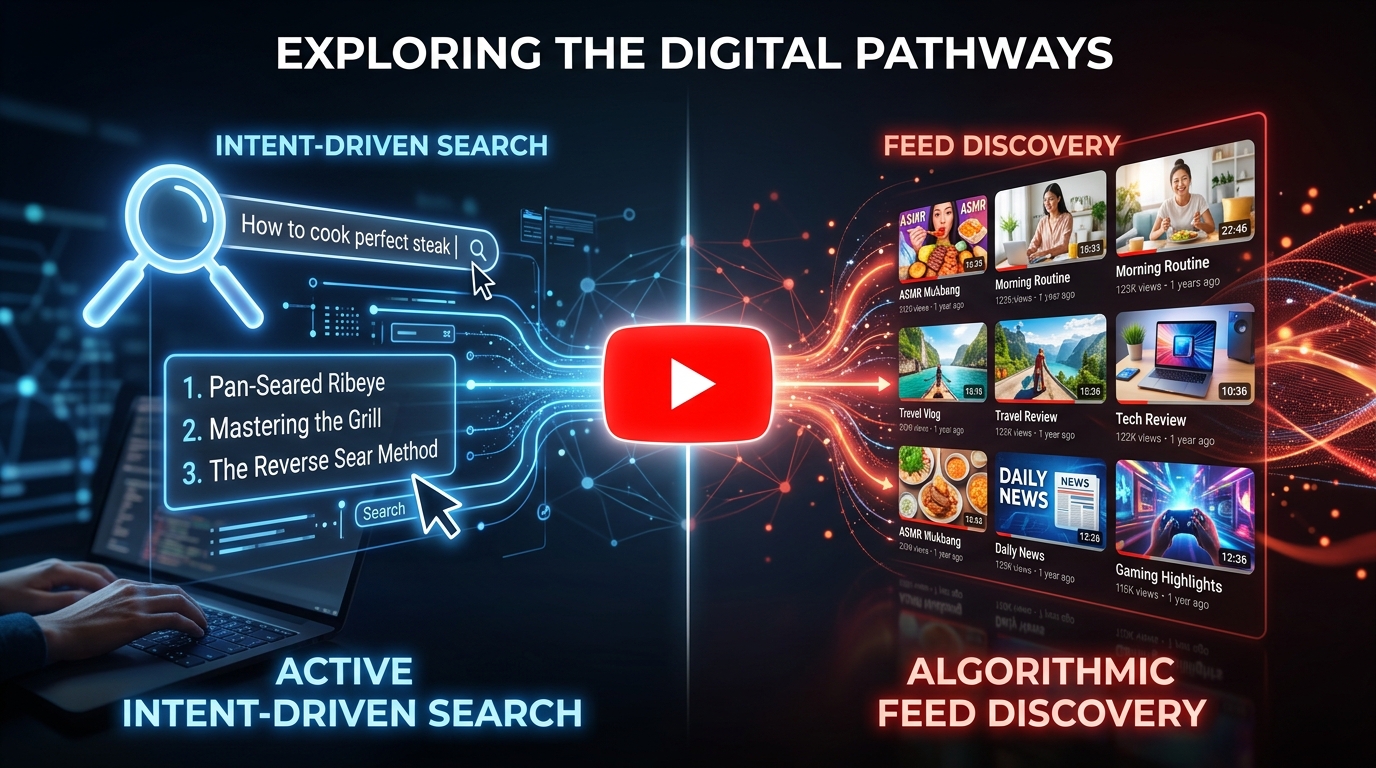
Most YouTube creators treat traffic sources like a scoreboard. High search traffic means you're doing SEO right. High browse traffic means the algorithm loves you. But that framing misses the point entirely. These two sources work differently, reward different behaviors, and serve different goals. Knowing which one to prioritize depends on your channel, your content, and where you are in your growth journey.
Here's what each source actually means and how to decide which deserves more of your attention.
What search traffic actually tells you
Search traffic comes from viewers who typed something into YouTube's search bar and clicked your video. They had intent. They were looking for something specific, and your title or thumbnail convinced them you had it.
This kind of traffic is predictable. A well-optimized video on a stable topic can pull consistent search views for months or years. "How to change a tire" isn't trending, but someone searches it every day. That's the power of search: it compounds over time without requiring you to stay relevant to the news cycle.
Search traffic also tends to attract cold audiences. These are people who don't know your channel yet. They found you because your content answered a question, not because they already trust you. That's both an opportunity and a challenge. You can reach new viewers constantly, but converting them into subscribers takes more work because there's no existing relationship.
The downside? Search volume has a ceiling. There are only so many people searching a given term each month. Once you've captured a reasonable share of that audience, growth from that single video plateaus. For highly competitive queries, even a well-optimized video may settle at a few hundred views a month once the initial ranking boost fades.
What browse traffic actually tells you
Browse traffic is different in almost every way. It comes from YouTube's home feed and the "Up Next" sidebar, where the algorithm decides to show your video to someone who wasn't actively searching for it. They weren't looking for you. YouTube placed a bet that they'd want to watch.
For that bet to pay off, YouTube needs evidence. It tracks click-through rate, meaning how often people click when shown your thumbnail, alongside watch time, meaning how long they actually stay. Strong numbers on both push the video to more viewers. Weak numbers stop distribution cold. Browse traffic is harder to earn but scales without a ceiling.
A video that catches traction in the browse feed can reach millions of people who would never have searched for it. That's how channels grow quickly. It's also why browse traffic is so unpredictable: you can do everything right and still not get it.
Browse traffic is a signal of audience fit. When YouTube pushes your content to people who don't know you and they still click and watch, it means your content resonates beyond your existing base. That's genuinely hard to manufacture.
How the two sources compare side by side
|
Factor |
Search traffic |
Browse traffic |
|
Viewer intent |
High (they searched for it) |
Low (algorithm served it) |
|
Audience familiarity |
Cold audience |
Mix of new and returning |
|
Predictability |
High |
Low |
|
Growth ceiling |
Yes |
No ceiling |
|
Optimization lever |
Keywords, titles, descriptions |
Thumbnails, CTR, watch time |
|
Best for |
Evergreen, tutorial content |
Viral, entertainment, trends |
|
Time to results |
Slower but steady |
Fast when it hits |
Neither column in that table is universally better. The right choice depends on what you're building.
Why most channels need both
Optimizing for only one source is a strategic mistake. Here's why.
A channel built entirely on search traffic is stable but limited. It grows slowly, and because every viewer came with a specific question, they may not stick around for your other content. Your subscriber count can stay low even while your views climb. Monetization through ads works fine, but building a loyal community is harder when every viewer arrived with a transactional mindset.
A channel built entirely on browse traffic is exciting but volatile. One video hits, you get a spike, and then the algorithm moves on. If your next video doesn't perform the same way, your numbers crater. Many creators who went viral once never replicated it because they didn't understand what actually drove the browse traffic in the first place.
The channels that sustain long-term growth tend to use search as a foundation and browse as an accelerant. Search brings in a steady stream of new viewers on autopilot. Browse amplifies the videos that connect most strongly with that audience. Over time, the two sources reinforce each other.
-
Search traffic is predictable and compounds; browse traffic scales but is unpredictable
-
Search converts cold audiences; browse mixes new and returning viewers
-
Neither source alone builds a sustainable channel
-
Use search as your base, browse as your growth multiplier
Which source to optimize for based on your channel stage
New channels (0 to 1,000 subscribers)
Focus on search. Full stop.
Browse traffic requires the algorithm to trust you, and that trust is built on data it doesn't have yet. YouTube won't push your videos to home feeds until it has strong signals about your audience. Search gives you a path to generate those signals without waiting for algorithmic favor.
Pick topics with clear search intent, use specific titles that match how people actually phrase their queries, and make sure your thumbnails are clean and readable. The goal isn't to go viral. The goal is to build a track record that YouTube can learn from. Even modest results, say 200 to 500 views per video on targeted queries, give the algorithm the engagement data it needs to start trusting your content.
Growing channels (1,000 to 50,000 subscribers)
This is where you start splitting your attention. Keep producing search-optimized content for consistent traffic, but start paying close attention to which videos get organic browse distribution. When a video starts pulling browse traffic, study it. What was different about the thumbnail? The topic framing? The length?
At this stage, you have enough data to start running experiments. Try making one video per month with a broader topic framing designed for browse, and track whether your CTR and average view duration are strong enough to earn distribution. According to YouTube's own guidance, CTR and watch time are the two primary signals the platform uses to decide how widely to distribute a video.
Established channels (50,000+ subscribers)
Browse traffic becomes more accessible once YouTube has a clear model of who your audience is. At this point, you can afford to optimize more aggressively for browse, especially if you want to break out of your current audience ceiling.
That said, don't abandon search entirely. Search-optimized videos still pull in new subscribers during slow periods and cushion browse fluctuations. Think of them as the floor that keeps your channel from going quiet between bigger swings.
The thumbnail and title split
One practical way to think about this: your title does more work for search, your thumbnail does more work for browse.
For search, your title needs to include the terms people are actually typing. "How to lose weight fast" outperforms "My transformation journey" in search, even if the second title sounds more personal and compelling. Specificity wins.
For browse, your thumbnail is the first thing a viewer sees before they've read a single word. It needs to communicate something visually that makes a stranger want to click. Faces with clear expressions, bold text, strong contrast, and a single visual focus point all tend to improve CTR.
The challenge is that these two priorities sometimes conflict. A keyword-heavy title can feel dry on a browse feed. A click-baity thumbnail can mislead search traffic and tank your watch time. The solution is to write titles that include keywords but still feel like something a human would say, and to design thumbnails that are honest about the video's content while still being visually arresting.
Quick test: Cover your title and look only at your thumbnail. Does it make you want to click? Now cover your thumbnail and read only your title. Does it answer a question someone might actually search? If both answers are yes, you've got a strong combination.
What your analytics are actually telling you
YouTube Studio shows your traffic source breakdown under the Reach tab. Most creators glance at it and move on. That's a missed opportunity.
If search traffic is above 40% of your total views, you're heavily search-dependent. That's not bad, but it means your growth is tied to keyword volume rather than algorithmic distribution. Look at which videos are pulling the most search traffic and ask whether you can create follow-up content on related topics to capture adjacent queries.
If browse traffic is above 50%, your content is resonating with the algorithm. The question is whether it's also building an audience. Check your subscriber conversion rate on those videos. Browse traffic that doesn't convert to subscribers means viewers are watching but not committing, which often signals a mismatch between what the video promised and what the channel consistently delivers.
If your browse traffic is under 10% and you've been posting for more than six months, that's a signal worth taking seriously. Either your CTR is too low (thumbnail problem), your watch time isn't strong enough (content or pacing problem), or your topic selection is too niche for the algorithm to find a broad audience for it.
A note on suggested videos
Suggested videos (the "Up Next" sidebar) technically fall under browse traffic in YouTube's analytics. But they behave slightly differently. Suggested traffic often comes from viewers who just finished watching a related video, so their intent sits somewhere between search and pure browse. They're in a watching mindset and open to more content on a similar topic.
To capture suggested traffic, your video needs to be topically adjacent to popular content in your niche. If a video with 2 million views covers a topic you also cover, YouTube may suggest your video to viewers who just finished that one. This is why covering well-established topics in your niche, even if the search volume seems competitive, can still pay off through suggested placement.
The real answer to the question

Optimize for both, but with different videos serving different roles.
Build a content library where some videos are designed to rank in search on specific, answerable questions. These are your workhorses. They bring in consistent traffic, introduce new viewers to your channel, and give YouTube data about your audience.
Then make videos that have broader appeal, stronger emotional hooks, and thumbnails designed to stop a scroll. These are your bets on browse. Most won't hit. When one does, it can shift your channel's trajectory in ways that months of search-optimized content rarely will.
The ratio depends on your niche. Educational and tutorial channels can lean 70/30 toward search. Entertainment and personality-driven channels often flip that ratio. There's no universal formula, but there is a universal principle: don't ignore either source, and don't mistake strong performance in one for a reason to stop working on the other.
Frequently asked questions
Is browse traffic the same as suggested videos?
Not exactly. Browse traffic comes from the home feed, where YouTube surfaces videos to logged-in users based on watch history. Suggested videos appear in the sidebar during or after another video. Both reflect algorithmic distribution, but suggested traffic comes from viewers already mid-session, making them slightly warmer than home feed visitors.
Can a video get both high search and browse traffic?
Yes, and it's more common than creators expect. A video that ranks well for a search term can also earn browse distribution if its CTR and watch time are strong. The two sources don't compete. When a video earns both, it usually means the topic has real demand and the content delivers on what the title and thumbnail promise.
Why did my search traffic drop suddenly?
Usually one of three things happened: a competitor published a stronger video and took your ranking, YouTube updated how it ranks content in your niche, or search volume for that term dropped seasonally. Check your ranking position for the target keyword and compare your video's metrics against whatever is now ranking above you.
Does YouTube favor browse or search for new channels?
New channels get very little browse traffic initially because YouTube lacks enough data to know who to show the content to. Search responds to keyword relevance rather than audience history, making it more accessible early on. Most successful new channels build their foundation through search before earning meaningful browse distribution.
How much search traffic is good for a channel?
It depends on your niche. Tutorial and how-to channels commonly see 40 to 60% of views from search, and that's healthy. Entertainment channels might see 10 to 20% and still grow fast through browse. What matters most is whether those search viewers are converting to subscribers at a reasonable rate over time.